Mobily Number Check Code KSA: How to Find Your Mobily Number?
To check your Mobily number in Saudi Arabia, dial *222# from your Mobily SIM and your number appears on screen within seconds, free and with no internet needed. As a backup, send 1 by SMS to 1411, use the Mobily app, or call customer care on 1100.
Do This Next:
- Open your phone dialler
- Dial *222# and press the call button
- Your Mobily number appears on screen within seconds
Mobily Number Check KSA Methods at a Glance
| Method | How | Notes |
|---|---|---|
| USSD code (fastest) | Dial *222# | Free, works with zero balance |
| SMS method | Send 1 to 1411 | Also returns the registered owner name and activation date |
| Please Call Me | Dial *1888#, then enter a friend’s number | They receive a text including your number |
| Mobily app | Log in and check your profile | Requires app login |
| Customer care | Call 1100 | Free from any Mobily SIM |
| Customer care (other network) | Call 0560101100 | For calling from a non-Mobily line |
Source: Cross-verified across multiple current sources | Verified: August 2026
Pro Tip: The SMS method to 1411 gives you more than just your number, it also confirms the registered owner’s name and activation date, which is useful if you are checking a SIM that may not actually be registered in your own name.
Method 1: USSD Code *222# (Fastest)
- Open your phone’s dialler app
- Dial *222#
- Press the call button
- Your Mobily number appears on screen within seconds
This code is free, works on any phone, and returns a result with zero balance on the account. It does not require mobile data or an internet connection.
If you are on a dual-SIM phone, make sure you are dialling from the Mobily SIM slot specifically, since dialling from a different operator’s SIM will not return your Mobily number.
Method 2: SMS to 1411
- Open your phone’s messaging app
- Type the number 1
- Send it to 1411
- You receive a reply confirming your number, the registered owner’s name, and the SIM’s activation date
This is the same shortcode used for checking your Mobily data balance, but sending a plain “1” specifically triggers your SIM details rather than a balance figure. Bundle prices, subscription codes, and the package check code are in the Mobily internet packages guide.
Method 3: The “Please Call Me” Service
If you are out of balance and want someone nearby to read your number back to you, or simply want to share it without typing it out:
- Dial *1888#
- Enter the recipient’s mobile number when prompted
- Press the call button
- They receive a free text message that includes your Mobily number
This works with zero balance on the account.
Method 4: Mobily App
- Download the Mobily app from the Google Play Store or Apple App Store
- Log in with your Mobily number and password
- Your number is displayed on your account profile
If you do not remember your number at all, logging in through your Iqama or registered ID can still retrieve your account.
Method 5: Call Customer Care
Dial 1100 from your Mobily SIM, free and available at any time. Provide your name and Iqama number for verification, and the representative will confirm your Mobily number directly. From another network, dial 0560101100 instead.
Checking Which SIM Cards Are Registered to Your Iqama
If you are trying to identify a Mobily line among several SIM cards registered under your identity, rather than checking a single SIM you already have in hand, the CST Mutasil portal shows every SIM card linked to your Iqama across all Saudi operators in one lookup. For the full process, see the CST Argami SIM check guide.
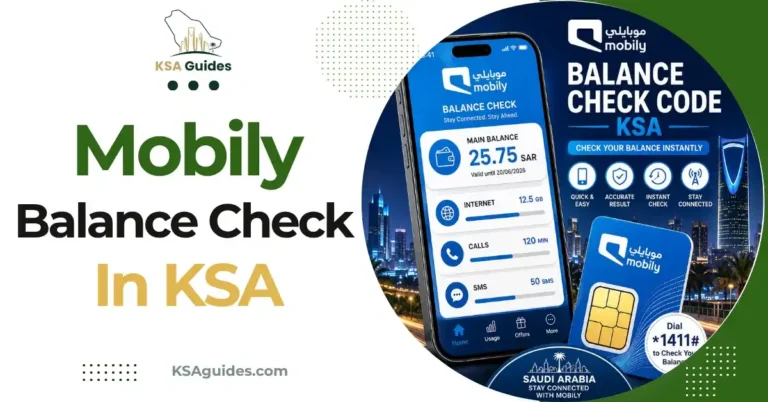
For checking your Mobily credit and data balance rather than your number, see the Mobily balance check code guide.
Troubleshooting: When *222# Does Not Respond
| Problem | Fix |
|---|---|
| No response after dialling | Check you have signal and retry in an open area |
| Code returns an error | Restart your phone, then retry the code |
| Dual-SIM phone shows nothing | Confirm you dialled from the Mobily SIM slot, not the other SIM |
| Still not working | Call 1100, or check the Mobily app instead |
Frequently Asked Questions
What is the Mobily number check code?
Dial *222# from your Mobily SIM. It is free and shows your number instantly, even with zero balance.
How do I check my Mobily number without the app?
Yes. Dial *222#, or send 1 by SMS to 1411 for the same information plus your registered name and activation date.
What is the Mobily SIM number check code specifically?
*222# works the same way for both regular phone SIMs and data-only SIMs used in routers or hotspots.
Does *222# work with zero balance?
Yes. The code is completely free and works with no credit on the account.
How do I check someone else’s Mobily number registration?
You cannot check another person’s number directly, but the SMS method to 1411 confirms the registered owner’s name if you are verifying your own SIM.
Can I check my Mobily number on a dual-SIM phone?
Yes, but make sure you dial *222# from the Mobily SIM slot specifically, not the other SIM.
Final Thoughts
Between *222# and the SMS method to 1411, Mobily gives you two genuinely independent ways to recover your number, which is useful if one method ever fails due to a network issue rather than an error on your end. Saving your number as soon as you find it is worth doing regardless of which method you use, since Mobily lines are not always pre-filled into a new phone’s contact card the way some postpaid accounts are.
Last verified: August 2026
Reviewed by: Roman Shah
Source: Mobily official website; cross-verified across multiple current Mobily Saudi Arabia sources
Mobily codes and support details are subject to change. Contact Mobily on 1100 to confirm current details.