How Many SIM Cards Are on My Iqama? CITC Argami Check Guide
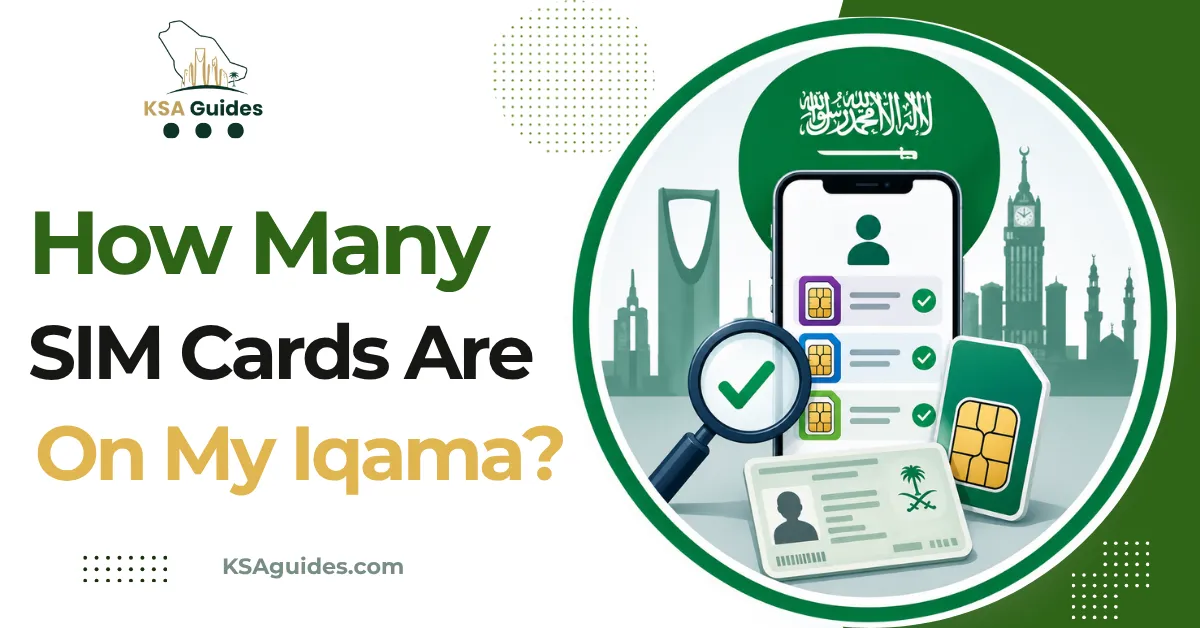
To check how many SIM cards are registered on your Iqama (إقامة) in Saudi Arabia, visit the official CST Mutasil Individuals Portal at mutasil.cst.gov.sa. Enter your Iqama number, date of birth, and verify with an OTP to see every mobile number and data SIM linked to your identity across all Saudi telecom operators. The service is called Argami (أرقامي), it is free, and it takes under two minutes to complete.
Do This Next:
- Go to mutasil.cst.gov.sa/individuals on any browser
- Enter your Iqama number, date of birth, and a registered mobile number
- Enter the OTP to view every SIM card registered under your identity
Why Checking SIM Cards on Your Iqama Matters?
Every SIM card purchased in Saudi Arabia must be legally registered to a valid Iqama number. As the Iqama holder, you are legally responsible for all activity conducted on every SIM registered under your identity, including SIM cards you never activated or are not aware of. What the residency permit is, and the obligations attached to holding one, are covered in the Iqama guide for foreign workers.
Unauthorized registrations happen through identity theft, employee fraud at mobile shops, and administrative errors by telecom staff. The consequences for an Iqama holder can include unexpected bills, involvement in fraud investigations, complications at Iqama renewal, and in serious cases, a travel ban tied to unpaid postpaid debts registered in your name.
The CST (Communications, Space and Technology Commission) recommends checking your registered SIM cards every three months. The check is free, takes under two minutes through any of the methods below, and covers all operators across the Kingdom in a single lookup.
Method 1: Full SIM Check via CST Mutasil Portal (Recommended)
This is the most comprehensive method. It shows every phone number and data SIM registered under your Iqama, the operator for each line, and the SIM type. It takes between 45 and 90 seconds from start to results. You will need one working registered number to receive the OTP; if you cannot remember the number on a SIM, the Zain, Friendi, STC, and Lebara number check guides cover every way to find it. Salam Mobile and Red Bull Mobile lines use their own codes, covered in the Salam number check and Red Bull number check, and Mobily number check guides.
What you need:
- Your Iqama number
- Your date of birth in Gregorian calendar format (DD/MM/YYYY)
- Access to at least one mobile number registered in Saudi Arabia (STC, Mobily, Zain, or any other operator)
Steps:
- Open any browser and go to the CST Mutasil Individuals Portal
- Switch the interface to English using the language selector at the top right
- Enter your Iqama number in the “Person ID” field
- Enter your date of birth in Gregorian format: DD/MM/YYYY
- When asked “Do you have a mobile number?”, select Yes
- Enter one of your registered Saudi mobile numbers (any operator)
- Enter the captcha code shown on the screen
- Click “Inquire” and wait for the OTP. It typically arrives within 10 seconds
- Enter the verification code and click “Submit”
What the results show:
- All phone numbers registered under your Iqama, displayed in full
- The operator for each number (STC, Mobily, Zain, Virgin Mobile, and others)
- The type of each line: prepaid, postpaid, or data SIM
- The total count of active SIM cards across all operators
Take a screenshot of your results and save it with today’s date. If you plan to file a complaint about any number, this screenshot is your primary evidence.
Pro Tip: The CST App (see Method 3) performs the same full Argami check but logs in through Nafath for automatic identity verification, which means no need to enter your date of birth manually. If you check your SIMs regularly, the app is faster for repeat visits than the browser portal.
Method 2: Basic SIM Count Check Without a Mobile Number
If you do not currently have access to any registered Saudi mobile number, the Mutasil portal still offers a basic verification that shows how many SIMs are registered per operator, without requiring an OTP.
Steps:
- Go to mutasil.cst.gov.sa/individuals
- Enter your Iqama number and date of birth
- When asked “Do you have a mobile number?”, select No
- Enter the captcha code and click “Inquire”
What the results show:
- Number of SIM cards registered with STC
- Number of SIM cards registered with Mobily
- Number of SIM cards registered with Zain
- Total SIM count across all operators
This method does not display the actual phone numbers, only the count per operator. It is useful for a quick sanity check. If the totals look suspicious, visit any STC, Mobily, or Zain branch with your original Iqama and passport to request a full listing in person.
Method 3: CST App via Argami Feature
The CST mobile app provides the same Argami verification through your smartphone and adds features not available on the website, including real-time alerts when a new SIM is registered under your Iqama and the ability to file complaints directly without switching to a browser.
Steps:
- Download the CST app from the Google Play Store (Android) or App Store (iOS)
- Open the app and tap Log In
- Select Nafath as your login method. Nafath is the Saudi National Single Sign-On system used across government apps; your Nafath credentials work here directly
- Verify your identity through the Nafath app on your phone when prompted
- Once logged in to CST, navigate to the Argami or My Numbers section
- The app displays all SIM cards registered under your Iqama instantly
The CST app stores your verification history, which is useful if you want a record of what was registered at a specific date. For anyone checking their SIM registrations regularly, the app is more convenient than the browser portal for repeat checks.
Method 4: SMS Check by Operator (Network-Specific Quick Check)
Each major Saudi telecom operator allows you to check which numbers on their network are registered under your Iqama using a simple SMS command. This method does not require an internet connection and returns results within seconds.
| Operator | SMS to Send | Number to Send It To |
|---|---|---|
| STC | Send “9988” as a message | 900 |
| Mobily | Send a blank message | 616166 |
| Zain | Send a blank message | 700123 |
| Virgin Mobile | Send a blank message | 309985 |
| Lebara | Send your Iqama number | 1755 |
Source: Operator support channels and CST guidance | Verified: July 2026
Important limitation: Each SMS check only shows SIM cards registered under your Iqama with that specific operator. Sending a message to STC’s 900 will not reveal numbers registered with Mobily or Zain. For a complete cross-operator picture, use Method 1 via the Mutasil portal. The SMS method is useful for a quick single-network spot-check or when you have no internet access. Each network also has its own balance and data code set, covered in the Mobily, Salam Mobile, and Red Bull Mobile balance check guides.
This method is not covered in most guides on this topic and covers a real gap for residents who want a fast network-level check without logging into any portal.
Method 5: Via Absher
Absher (absher.sa), the Ministry of Interior’s digital services portal, does not directly display SIM card registrations. As of 2026, Absher redirects to the CST Mutasil system for this function, having phased out its own native SIM check feature in favor of the unified CST platform.
Steps:
- Open the Absher Individuals app or visit absher.sa
- Log in using your Iqama number, password, and OTP
- Go to My Services, then General Services
- Select Telecom Services. This redirects you directly to the CST Mutasil portal
- Complete the verification as described in Method 1
For residents already using Absher regularly for Iqama renewals and other government services, this is a familiar starting point. For a complete overview of what Absher covers, see the Absher services guide.
SIM Card Limits per Iqama in Saudi Arabia (2026)
Understanding the permitted limits helps you identify suspicious registrations immediately. The limits differ between Saudi citizens and Iqama holders.
| Category | Prepaid Voice SIMs | Postpaid Voice SIMs | Data SIMs |
|---|---|---|---|
| Saudi citizen (National ID) | Up to 10 total across all operators | Included in 10 total | Not counted toward limit |
| Expat (Iqama holder) | 2 maximum across all operators | Up to 5 across all operators | Not counted toward limit |
| Tourist (visit visa) | 1 to 2 per visit | Not applicable | Not counted toward limit |
| Business (Commercial Registration) | Additional lines via CST business portal | Subject to CR approval | Not counted toward limit |
Source: CST and multiple verified operator communications | Verified: July 2026. Verify current regulations at cst.gov.sa or call CST on 19966.
If your Argami check shows more phone numbers than these limits allow, some may be unauthorized or registered in error. Report them immediately using the steps in the next section.
Exceeding the SIM card limit for your category can result in automatic rejection of new SIM applications and fines ranging from SAR 500 to SAR 2,000, along with a mandatory requirement to deactivate the excess SIMs.
CITC, CST, Mutasil, and Argami: What These Terms Mean
Before walking through the methods, four terms appear in almost every guide on this topic and are worth understanding clearly.
CST stands for the Communications, Space and Technology Commission, the Saudi government authority that regulates all telecom services in the Kingdom. CST was previously called CITC (Communications and Information Technology Commission), which is why many older guides still refer to a “CITC SIM check” or “CITC Argami.” The two names refer to the same authority under a renamed mandate. As of 2026, CST is the correct official name.
Mutasil (متصل) is the name of the CST’s digital individuals portal, accessible at mutasil.cst.gov.sa. It is the official government platform for checking which SIM cards, phone numbers, and data lines are registered under a given Iqama or national ID.
Argami (أرقامي) is the name of the specific SIM verification feature within the CST platform. The word أرقامي literally means “My Numbers” in Arabic. The official CST service page describes Argami as: “The service allows the user to inquire and view the details of the phone numbers and data SIMs registered by national ID with telecom service providers.” Whether a guide calls it “CITC Argami,” “CST Argami,” “Mutasil,” or “Inquire About My Numbers,” all of these refer to the same free government service.
What to Do If You Find Unauthorized SIM Cards on Your Iqama?
If the Mutasil check shows phone numbers you did not register, act as quickly as possible. Every day a fraudulent SIM remains active under your Iqama, it is a potential source of financial liability.
Step 1: Document Everything
Take a screenshot of the unauthorized SIM listings in the Mutasil portal. Note the phone numbers, the operators, and any visible registration details. Save the CST verification report if the option to download it is available. These documents are required for both the operator complaint and the CST escalation.
Step 2: Contact the Telecom Operator
Call the operator responsible for the unauthorized SIM or visit a branch with your original Iqama and passport. For Jawwy lines, which are managed entirely through the app, the Jawwy balance check guide explains how to manage the line and reach support.
| Operator | Phone | Alternative |
|---|---|---|
| STC | 900 | Visit any STC service center with Iqama |
| Mobily | 1100 | Visit any Mobily branch |
| Zain | 959 | Visit any Zain store |
| Virgin Mobile | 1789 | Use the Virgin Mobile app |
When you reach an agent, state clearly that you found a SIM card registered under your Iqama that you did not authorize, provide the phone number, and request immediate cancellation. Bring your Iqama and passport for verification.
Step 3: Escalate to CST if Unresolved Within 48 Hours
If the telecom operator does not cancel the unauthorized SIM within 48 hours, file an official complaint through the CST Argami service portal. Select “Individual Complaint,” choose “Unauthorized SIM Registration,” upload your screenshots and any operator response, and submit. CST complaints typically receive a provider response within three to five business days, and most unauthorized SIMs are deactivated within one week of a confirmed complaint.
For direct CST support, call 19966 (available 24/7 in Arabic and English).
Step 4: Confirm Removal
After 24 to 48 hours, repeat the Mutasil check to confirm the unauthorized numbers no longer appear under your Iqama. If they are still showing, call CST on 19966 and reference your complaint number for follow-up.
Frequently Asked Questions
How do I check how many SIM cards are on my Iqama?
Visit the CST Mutasil Individuals Portal at mutasil.cst.gov.sa. Enter your Iqama number and date of birth. If you have a registered Saudi mobile number, select “Yes” and enter it to receive an OTP. After verification, the portal shows every SIM card and data line registered under your Iqama across all Saudi telecom operators. The service is free and takes under two minutes.
What is CITC Argami and is it the same as the CST Mutasil portal?
Yes. CITC is the former name of CST (the Communications, Space and Technology Commission), and Argami (أرقامي) is the name of the SIM verification feature within the CST platform. The word Argami means “My Numbers” in Arabic. Whether a guide refers to “CITC Argami,” “CST Argami,” “Mutasil,” or “Inquire About My Numbers,” all these terms describe the same free government service for checking SIM cards registered under an Iqama or national ID.
How many SIM cards can an expat have on their Iqama in Saudi Arabia?
As of June 2026, expats holding an Iqama (إقامة) are permitted a maximum of 2 prepaid voice SIM cards and 5 postpaid voice SIM cards across all Saudi operators combined. Data SIM cards for tablets, routers, and connected devices are not counted toward these limits. Saudi citizens with a national ID can register up to 10 SIM cards in total. Exceeding the limit can result in fines from SAR 500 to SAR 2,000 and mandatory deactivation of excess SIMs. Verify current limits at cst.gov.sa or call CST on 19966.
Can I check SIM cards on my Iqama if I have no registered mobile number?
Yes. On the Mutasil portal, when asked “Do you have a mobile number?”, select “No.” Enter your Iqama number, date of birth, and the captcha code, then click “Inquire.” The system shows the number of SIM cards registered with each operator without requiring OTP verification. This basic check does not reveal the actual phone numbers, only the count per network. To see the full numbers, visit any STC, Mobily, or Zain branch in person with your Iqama and passport.
Do SIM cards stay active if my Iqama expires?
SIM cards registered under an expired Iqama (إقامة) are automatically suspended 90 days after the Iqama expiry date and are eventually deactivated by the relevant operator. You can still check SIM registrations on an expired Iqama through the Mutasil portal, but the lines will not function for calls or data until the Iqama is renewed and the account is reactivated with the operator. For a complete guide to the renewal process, see the Iqama renewal guide.
Last verified: July 2026
Reviewed by: Roman Shah
Sources: CST, Communications, Space and Technology Commission (cst.gov.sa); CST Mutasil Individuals Portal (mutasil.cst.gov.sa); operator SMS verification channels (STC, Mobily, Zain, Virgin Mobile, Lebara)
SIM card limits and CST regulations are subject to change. Verify current rules at cst.gov.sa or call CST customer service on 19966 before taking any action based on this guide.