Absher Machine Near Me: Locations and Services
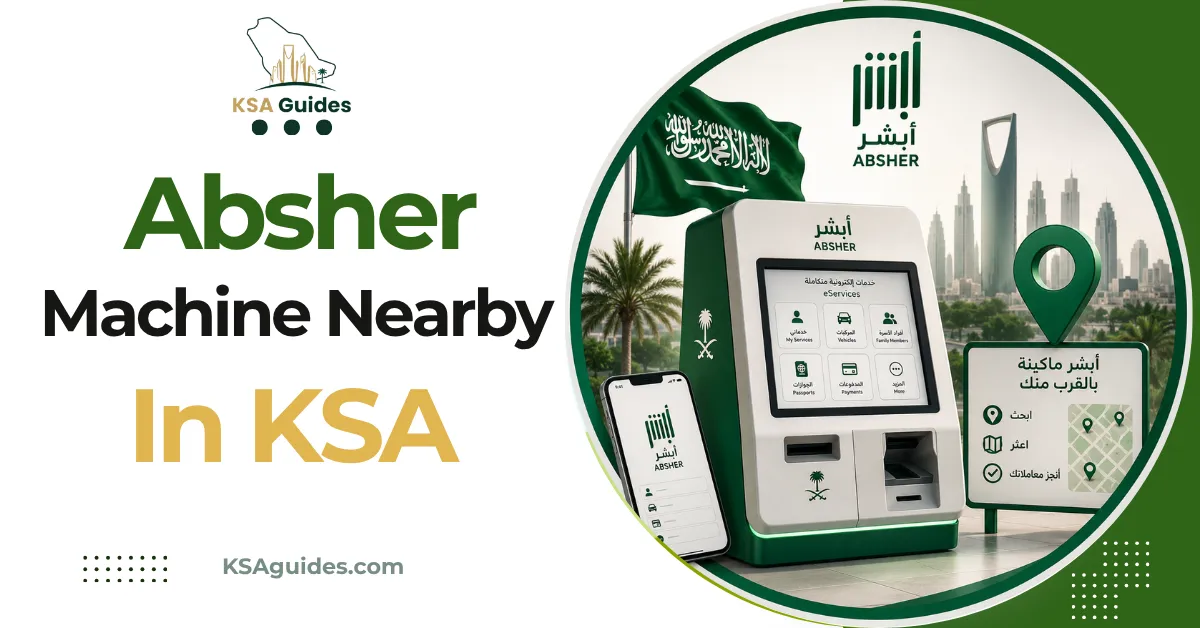
Absher self-service machines are Jawazat-operated touchscreen kiosks found across the Kingdom. They handle three tasks: account activation, mobile number updates, and password resets. All three rely on fingerprint verification, which is exactly why they cannot be completed on your phone instead.
Do This Next:
- Bring your Iqama or national ID and a working mobile phone
- Find a kiosk at a Jawazat office, airport, mall, or post office
- Allow three minutes, since no appointment is needed
Why These Absher Machines Exist At All?
Understanding this explains why a fully digital route is not always available.
Absher account activation requires biometric fingerprint verification. Your phone cannot perform that enrollment, since it needs a certified government fingerprint reader.
That single technical constraint is the reason kiosks exist. They provide the physical verification step that no app can replicate remotely.
The General Directorate of Passports, Jawazat, has deployed these terminals across the Kingdom since 2015. Over 400 machines now operate nationwide.
The Three Things a Kiosk Does
Scope is narrower than many people assume, which saves a wasted trip.
| Service | When You Need It |
|---|---|
| Account activation | New account created but not yet usable |
| Mobile number update | Lost access to your registered number |
| Password reset | Locked out and unable to recover online |
Source: Absher platform; General Directorate of Passports (Jawazat) | Verified: September 2026
Each of these has its own full guide. See Absher registration, mobile number change, and password reset.
Where Machines Are Installed?
Locations extend well beyond government buildings, which surprises people expecting only Jawazat offices.
- Jawazat and passport offices, including branches designated for women
- Airports, in major international terminals
- Shopping malls, typically near service counters
- Post offices operated by Saudi Post
- Mobily branches, alongside regular telecom services
- Hospitals and some bank branches
The official Absher site publishes a current list of registration and activation machine locations. Check that directly rather than relying on any third-party list, since installations change.
Pro Tip: Mall and Mobily locations usually stay open later than Jawazat offices. If your working hours clash with government opening times, those are the practical options.
What to Bring?
The requirement list is short, but missing any item means returning later.
You need your Iqama if you are an expatriate, or your Saudi national ID if you are a citizen. You also need a mobile phone in hand, since a verification code arrives by SMS during the process.
For activation and password reset, that phone must hold the number registered on your Absher account. For a number update, bring the new number instead.
Using the Machine
The interface offers both Arabic and English, and no staff assistance is required.
- Tap the screen and select English
- Choose the service you need
- Enter your Iqama or national ID number
- Place your right index finger on the reader
- Place your left index finger on the reader
- Enter your mobile number
- Enter the SMS verification code to finish
Most operations complete in under three minutes. No appointment or booking is needed at any point.
What a Kiosk Cannot Do?
Two limitations are worth knowing before you travel to one.
- Kiosks do not process Iqama renewals, visas, or fines. Those are account services you complete online once your account works.
- They cannot help if your fingerprints do not match records. That situation needs staff assistance at a Jawazat office rather than a self-service terminal.
Frequently Asked Questions
What can I do at an Absher machine?
Three things: activate a new account, update your registered mobile number, and reset a forgotten password. All three require fingerprint verification.
Do I need an appointment for an Absher kiosk?
No, kiosks are walk-up terminals with no booking required. Most operations finish in under three minutes.
Where can I find an Absher machine near me?
Machines sit in Jawazat offices, airports, shopping malls, post offices, Mobily branches, and some hospitals. The official Absher website publishes a current location list.
Why can’t I activate Absher on my phone instead?
Activation requires certified biometric fingerprint verification, which a phone cannot perform. That physical step is precisely what the kiosk provides.
Final Thoughts
The kiosk is a narrow tool rather than a general service counter. It exists to solve identity verification, not to process government transactions.
Knowing that distinction saves the most time. Once your account is activated and your number is current, almost everything else happens from your phone.
Last verified: September 2026
Reviewed by: Roman Shah
Source: Absher self-service machine locations; General Directorate of Passports (Jawazat)
Note: machine locations and available kiosk services change periodically. Confirm the nearest current location through the official Absher website before travelling.