Absher Password Reset and Account Recovery KSA Complete Guide 2026
Reset your Absher password at absher.sa using Forgot Password, your Iqama number, and your registered mobile. The same flow also displays a forgotten username. You cannot change your registered mobile number during recovery, so fix that first if you have lost access to it.
Do This Next:
- Confirm you can receive SMS on your registered Absher number
- Use Forgot Password at absher.sa with your Iqama number
- Note your username when it appears during the reset
Check This Before You Start
One prerequisite decides whether this process will work at all.
Password recovery sends an OTP to your registered mobile number. You cannot change that number during recovery, which creates a specific order of operations.
If you no longer have access to your registered number, fix that first. The Absher mobile number change guide covers routes that work without logging in.
How to Reset Your Absher Password?
The process runs on the website or in the app, with identical steps.
- Go to absher.sa and click Forgot Password below the login button
- Enter your Iqama or ID number
- Enter your registered mobile number
- Enter the CAPTCHA code shown
- Select a security question and enter your answer
- Enter the OTP sent by SMS
- Set your new password
The security question options are usually your passport number or a dependent’s Iqama number. Choose whichever you can answer accurately.
The Same Flow Recovers Your Username
This is genuinely useful and most guides treat it as an entirely separate problem.
Forgotten your username rather than your password? Run the identical Forgot Password process above.
After you enter the SMS code, your username displays on the reset screen. You can note it and continue, or simply reset the password while you are there.
Pro Tip: Screenshot the username the moment it appears. People who came only to recover a username often continue through the reset, then realise they never wrote it down.
The Password Rules That Cause Rejections
Absher enforces stricter rules than most platforms, including two unusual ones.
- At least 8 characters long
- At least one uppercase letter
- At least one lowercase letter
- At least one numeric digit
- Different from your current password
- Must not contain a portion of your User ID beyond a short length
- Must not repeat any character more than half the password’s total length
Those last two catch people out repeatedly. A password built around your own username gets rejected. So does one leaning heavily on a single repeated character.
If Your Account Is Locked
Repeated failed login attempts lock the account, which is a separate problem from a forgotten password.
Three options resolve it:
- Wait 24 hours for the lock to clear on its own
- Reset your password, which also clears the lock in most cases
- Visit an Absher self-service machine to verify identity in person
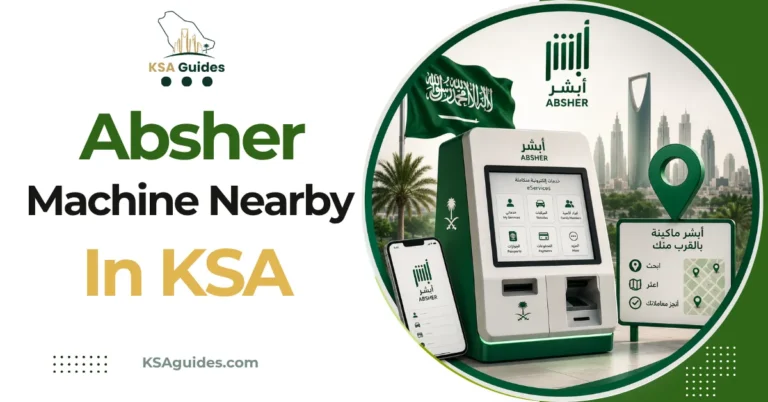
Kiosk locations and services are covered in the Absher self-service machines guide.
If You Cannot Access Your Registered Number
This is the hardest recovery scenario, and it needs an in-person step.
Since the OTP cannot be redirected, identity verification has to happen another way. An Absher self-service machine verifies you by fingerprint, letting you update the number before attempting the password reset.
A Jawazat office handles the same situation with staff assistance. Both routes exist precisely because SMS-based recovery cannot work when the number itself is lost.
Frequently Asked Questions
How do I reset my Absher password?
Click Forgot Password at absher.sa, then enter your Iqama number, registered mobile, and a security question answer. An OTP arrives by SMS, after which you set a new password.
Can I recover my Absher username too?
Yes, the same Forgot Password flow displays your username after you enter the SMS code. You do not need a separate process for it.
What do I do if my Absher account is locked?
Wait 24 hours, reset your password, or visit an Absher self-service machine. A password reset clears the lock in most cases.
Can I change my mobile number during password recovery?
No, recovery requires the number already registered on your account. Update the number first through the app or a kiosk if you have lost access to it.
Final Thoughts
The dependency worth remembering is that password recovery assumes you still control your registered number. Losing both at once turns a two-minute online task into an in-person one.
Keeping your Absher mobile number current is the single habit that prevents this entire category of problem. It costs nothing and takes minutes while you still have access.
Last verified: September 2026
Reviewed by: Roman Shah
Source: Absher password reset service; GOV.SA National Portal; Digital Government Authority
Note: password rules, lockout durations, and recovery routes are subject to change. Confirm the current process directly at absher.sa or in the official app.