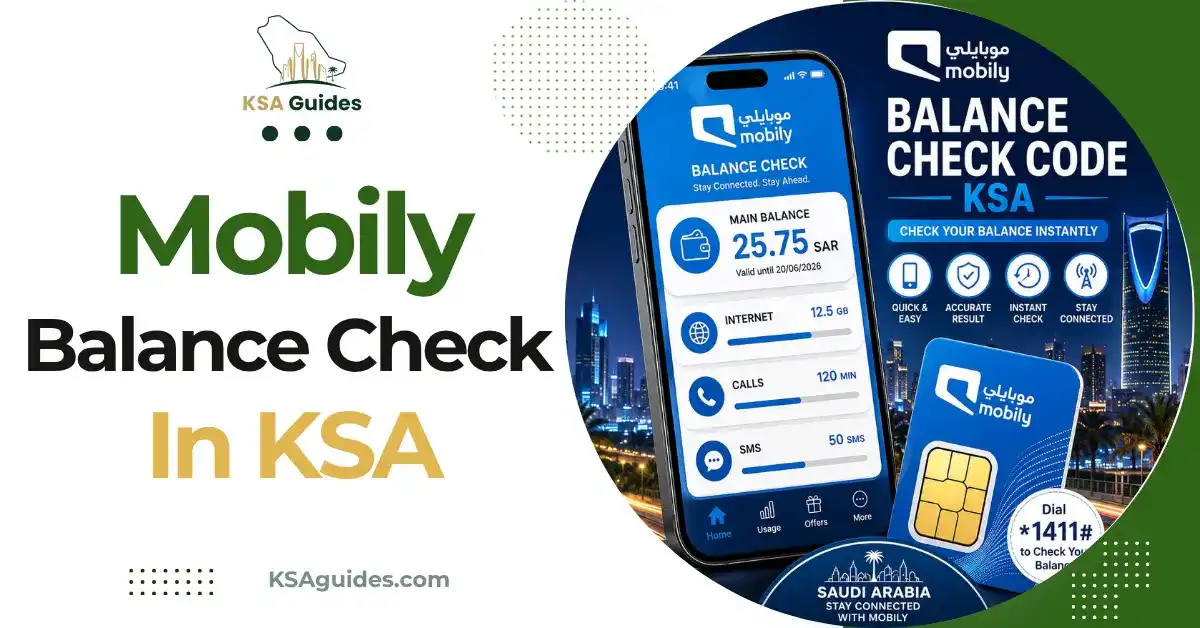
Mobily Balance Check Code KSA: How to Check Your Credit and Data?
To check your Mobily balance in Saudi Arabia, dial *1411# from your Mobily SIM and your credit appears on screen within seconds, free and with no internet needed. For your internet data, send the number 1 by SMS to 1442 on prepaid, or 1411 on postpaid.
Do This Next:
- Open your phone dialler
- Dial *1411# and press the call button
- Your Mobily credit balance appears on screen within seconds
Mobily Balance Check Codes KSA at a Glance
| Function | Code or Action | Notes |
|---|---|---|
| Check credit balance | *1411# | Free, works with zero balance |
| Check data balance (prepaid) | Send 1 to 1442 | Free, instant SMS reply |
| Check data balance (postpaid) | Send 1 to 1411 | Different shortcode from prepaid |
| Check data balance (alternative USSD) | *1411*1# | Direct on-screen data summary |
| Mobily app | Log in for a live dashboard | Works over Wi-Fi even outside Saudi Arabia |
| Customer service (inside KSA) | Call 1100, press 2 | Free from any Mobily SIM |
| Customer service (outside KSA) | Call +966 56 010 1100 | For calling from abroad |
Source: Cross-verified across multiple current sources | Verified: July 2026
Pro Tip: If you are on a postpaid Mobily line, sending “1” to 1442 will not return your data balance, since that shortcode is built for prepaid accounts. Use 1411 instead if your line is postpaid.
Method 1: Check Credit Balance With *1411#
- Open your phone’s dialler app
- Dial *1411#
- Press the call button
- Your remaining credit balance appears on screen within seconds
This code is free, works on any phone, and returns a result with zero balance on the account. It does not require mobile data or an internet connection, and works for both prepaid and postpaid lines.
Method 2: Check Data Balance by SMS
This is the most direct way to check specifically how much internet data you have left, separate from your credit balance.
- Open your phone’s messaging app
- Type the number 1
- Send it to 1442 if you are on a prepaid Mobily line, or 1411 if you are on postpaid
- You receive an instant SMS reply showing your remaining data in MB or GB
This method is free and works without a data connection, since it is sent over SMS rather than the internet.
Method 3: Check Data Balance by USSD
If you prefer an on-screen result rather than waiting for an SMS reply:
- Dial *1411*1#
- Press the call button
- Your remaining data balance appears directly on screen
This gives the same information as the SMS method, just displayed instantly on screen instead of arriving as a text message.
Method 4: Mobily App
- Download the Mobily app from the Google Play Store or Apple App Store
- Log in with your Mobily number and password
- Your dashboard shows your credit balance, remaining data, and active packages together
The app works over any Wi-Fi connection, which makes it the most reliable method when travelling outside Saudi Arabia, since the USSD codes and SMS shortcodes only function on Mobily’s own network inside the Kingdom.
Method 5: Call Customer Service
Dial 1100 from your Mobily SIM and press 2 to hear your balance details read out automatically, or wait to speak with an agent. From outside Saudi Arabia, or from another network, dial +966 56 010 1100 instead.
Prepaid vs Postpaid: What Is Different
The SMS shortcode for checking data balance depends on your account type. Prepaid Mobily lines use 1442, while postpaid lines use 1411. Sending “1” to the wrong shortcode for your account type typically returns no reply or an error, which is one of the more common reasons this method appears not to work. Sending a plain “1” to the same shortcode returns your own number instead of a balance; the Mobily number check guide covers that route and the *222# code.
The credit balance code, *1411#, and the Mobily app both work identically across prepaid and postpaid accounts, so there is no need to remember a separate version of either for your specific account type.
About Mobily
Mobily, formally known as Etihad Etisalat, is the second-largest mobile network operator in Saudi Arabia after STC. Several smaller prepaid brands in the Kingdom, including Lebara, operate as mobile virtual network operators running on Mobily’s underlying network infrastructure, so Mobily’s coverage footprint extends beyond its own directly branded SIM cards. For more on how these MVNO relationships work, see the Lebara balance check guide. To see every SIM registered under your Iqama across all operators, including Mobily lines, use the CST Argami SIM check. Mobily’s own data bundles, activation codes, and renewal rules are covered in the Mobily internet packages guide.
Troubleshooting: When *1411# or 1442 Does Not Respond
| Problem | Fix |
|---|---|
| No response after dialling | Check you have signal and retry in an open area |
| SMS to 1442 returns nothing | Confirm you are on prepaid; postpaid lines use 1411 instead |
| Code returns an error | Restart your phone, then retry the code |
| SIM appears locked, not just low balance | You may have entered the wrong PIN three times; use the PUK code on your SIM card holder to unlock it |
| Still not working | Call 1100, or check the Mobily app instead |
Entering the wrong PUK code ten times permanently blocks the SIM, which requires a replacement from a Mobily branch. This is a separate issue from a low balance, so confirm which problem you actually have before acting.
Frequently Asked Questions
What is the Mobily balance check code?
Dial *1411# from your Mobily SIM. It is free and shows your credit instantly, even with zero balance.
How do I check my Mobily data balance?
Send 1 to 1442 on prepaid, or 1411 on postpaid. You can also dial 14111# for the same information on screen.
What is the Mobily internet check code?
14111# shows your data balance directly on screen. The SMS method to 1442 or 1411 works just as well and does not need internet access.
What is the Mobily data check code exactly?
The SMS shortcode is 1442 for prepaid and 1411 for postpaid. Both return your remaining data within seconds.
Does *1411# work with zero balance?
Yes. The code is completely free and works with no credit on the account.
Can I check my Mobily balance while roaming abroad?
Yes, most reliably through the Mobily app over Wi-Fi, since USSD codes and SMS shortcodes only work on Mobily’s network inside Saudi Arabia.
Final Thoughts
Mobily runs two separate data-check shortcodes depending on whether your line is prepaid or postpaid, which is the detail most likely to trip someone up if they copy a code from a friend on a different account type. If in doubt about which applies to you, *1411# for credit and the Mobily app for everything else will work regardless of account type, which makes them the safer default to remember first.
Last verified: July 2026
Reviewed by: Roman Shah
Source: Cross-verified across multiple current Mobily Saudi Arabia sources
Mobily codes and services are subject to change. Contact Mobily on 1100 to confirm current details.