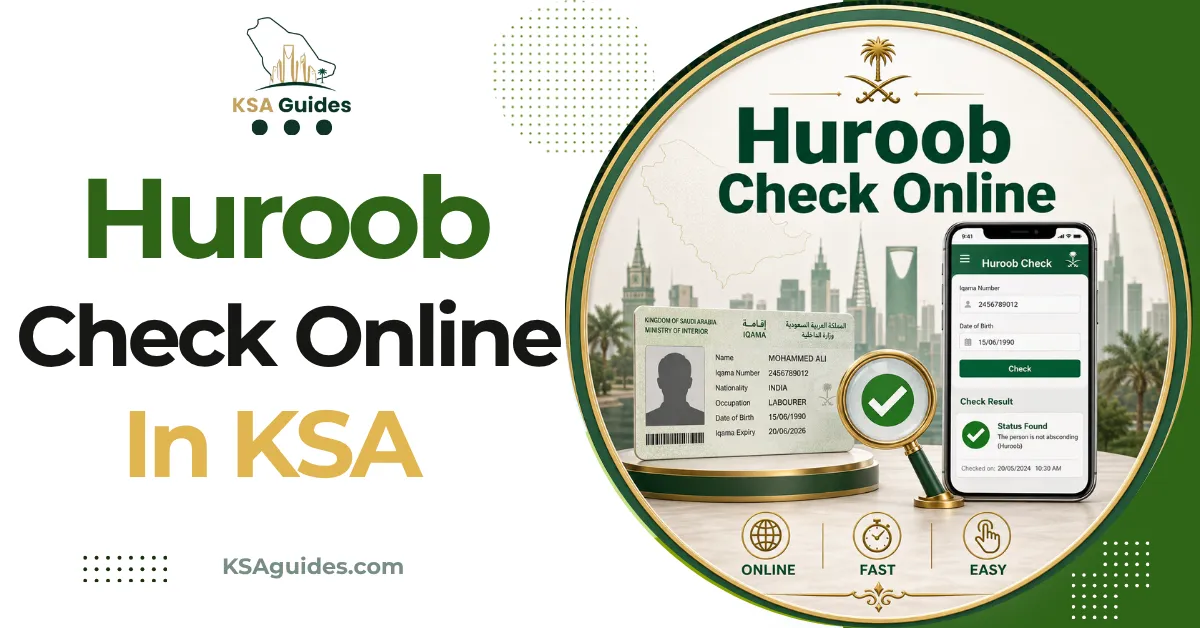
Huroob Check Online KSA: How to Verify Your Status (هروب)?
Check your huroob status free on the MHRSD non-Saudi employee inquiry, using your Iqama, border, or passport number. A result reading “Absent From Work” means a report is active against you. Since 2025 a new employer can transfer you out of huroob through Qiwa without your current sponsor.
Do This Next:
- Run the MHRSD inquiry below and read your job status
- If it says Absent From Work, note today’s date
- Act inside 60 days, through the Qiwa platform
How to Check Huroob Status Online?
The Ministry of Human Resources and Social Development runs a public inquiry service. It needs no Absher login and no account.
- Open the non-Saudi employee inquiry on the MHRSD portal
- Choose one input: Iqama number, border number, or passport number
- Select your nationality if using a passport or border number
- Enter the captcha code shown on screen
- Submit and read the job status field
The page often loads in Arabic. Use your browser’s translate function, or the language switch where one appears.
Read the job status line specifically. That single field is where huroob shows, not the expiry date beside it.
What the Result Means
| Job Status Shown | What It Means |
|---|---|
| On Work / Working | No huroob report is active |
| Absent From Work | A huroob report has been filed against you |
| No record found | Wrong number, wrong nationality, or record not yet created |
Source: MHRSD non-Saudi employee inquiry | Verified: August 2026
Absent From Work is the exact wording the system uses. Many guides describe a “huroob flag”, but that phrase never appears on screen.
The same inquiry page also returns your employer’s Nitaqat colour. That is a separate question, covered in the Iqama red green status guide. An active huroob also blocks renewal, and the Iqama renewal guide covers the preconditions checked before one proceeds.
There is a second signal worth knowing. Reports indicate an Absher account can stop working once huroob registers. A sudden login failure is worth investigating rather than ignoring.
Checking Without an Iqama Number
New arrivals and workers whose cards were withheld can still check.
Use your border number, the ten digit number stamped in your passport on entry. Alternatively use your passport number with the matching nationality selected.
A mismatch between passport number and nationality is the single most common cause of a blank result. Re-enter both carefully before drawing conclusions.
What an Active Huroob Blocks?
The practical effects arrive quickly and quietly.
- Your residency status becomes irregular, exposing you to detention and deportation
- Sponsorship transfers and new job offers are blocked
- Exit and re-entry visas cannot be processed normally
- Salary transfers and routine government services stop working
- A re-entry ban can follow if the situation is left unresolved
Most people discover a report only when something else fails. That is why a periodic check costs nothing and prevents a great deal.
When an Employer Can Legally File One?
This matters, because not every report meets the legal threshold.
The MHRSD Procedural Guide sets the conditions. An employer may file when a worker is absent without legitimate reason. The thresholds are more than 30 non-consecutive days in a contract year, or more than 15 consecutive days.
Written warnings are also required first. Reporting indicates these are due after ten non-consecutive days, or five consecutive days. Several conditions restrict the employer’s side too. The establishment must hold an active commercial licence. Both your work permit and Iqama must also have 60 days of validity left.
The 60 Day Window and What Changed in 2025
This section carries the most important update on this page, and most guides have not caught up with it.
On 18 February 2025, MHRSD connected every absence report to the Qiwa platform in one digital workflow. The rules around removal changed with it.
Your file is detached from your employer the moment a report registers. Your current sponsor can no longer remove the huroob. That makes the old advice to negotiate with them largely obsolete.
Instead, a prospective employer submits a transfer request through Qiwa. The Ministry approves it in place of your former sponsor. Reporting indicates the window is 60 days from the report date.
A second route exists. A final exit visa can be issued during huroob, again within 60 days, through Absher.
Reporting indicates that leaving on a properly issued final exit avoids the re-entry ban that would otherwise apply. Confirm your own position with MHRSD before relying on this, since eligibility depends on individual circumstances.
Pro Tip: Screenshot your inquiry result with the date visible the moment you find a report. The 60 day clock runs from the filing date, and a dated record helps establish when you first became aware.
If the Report Is False
Employers do file reports that do not reflect reality, often during a wage dispute.
MHRSD operates a complaints channel for exactly this. Reporting indicates a penalty of up to SAR 20,000 applies to employers who misuse absence reporting.
Saudi labour courts hear disputes over contracts, wages, and dismissals, including cases arising from these filings. The Board of Grievances handles challenges to final administrative decisions.
Do not treat this page as legal advice. Speak to MHRSD or a licensed Saudi labour advisor before choosing a route. The correct step depends entirely on your own file.
Domestic Workers Follow a Different System
Domestic workers sit outside Qiwa entirely, and the difference matters.
Their cases run through Musaned, the domestic labour platform. Status checks are made through Absher rather than the MHRSD inquiry.
Separate rules apply on timing. Where absence ends a contract within two years of entry, reporting indicates the worker must leave within 60 days. After two years, a transfer becomes possible instead.
MHRSD has also run time-limited amnesties for domestic workers in this position. These are announced periodically rather than standing permanently.
Frequently Asked Questions
How do I check huroob status without Absher?
Use the MHRSD non-Saudi employee inquiry with your Iqama, border, or passport number. No account or login is required, and the check is free.
What does “Absent From Work” mean on the MHRSD site?
It is the exact wording the system uses when a huroob report is active against you. Any other job status means no report is currently filed.
Can my sponsor remove a huroob report?
Since the 2025 Qiwa integration, your current sponsor can no longer remove it themselves. A new employer submits a transfer request through Qiwa, and the Ministry approves it instead.
How long do I have to fix a huroob status?
Reporting indicates a 60 day window from the report date to transfer or issue a final exit. Confirm your specific deadline with MHRSD rather than relying on a general figure.
Can I return to Saudi Arabia after a huroob?
Reporting indicates that leaving on a properly issued final exit during the window avoids the usual re-entry ban. Eligibility varies, so verify your own case with MHRSD before travelling.
Final Thoughts
The single most outdated advice on this topic is to go and ask your sponsor to lift the report. Since the Qiwa integration they generally cannot. The working route now runs through a new employer or a final exit.
If your check comes back clean, the useful habit is repeating it every month or two. Reports are filed without notice, and the 60 day clock starts whether or not you have noticed it.
Last verified: August 2026
Reviewed by: Roman Shah
Source: MHRSD Procedural Guide for Terminating the Employment Relationship; MHRSD non-Saudi employee inquiry; Qiwa; Absher
Note: absence reporting rules, grace periods, and penalties are subject to change, and amnesty windows are time-limited. Verify your current status and options directly with MHRSD or a licensed Saudi labour advisor before acting. This guide is general information and not legal advice.