Nafath App KSA (نفاذ): Saudi Arabia’s National Login App
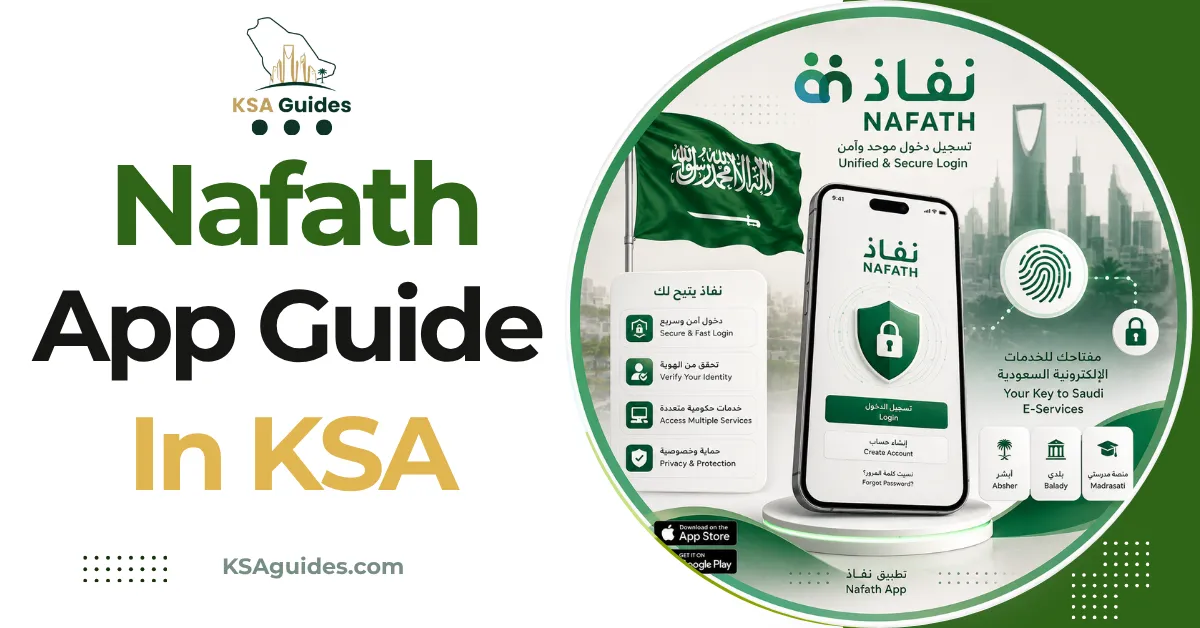
Nafath is Saudi Arabia’s national single sign-on app, operated by the National Information Center under SDAIA. It replaces SMS codes with a two-digit number you match inside the app. Absher is the service portal, while Nafath is the authentication tool used to log into it.
Do This Next:
- Confirm your mobile number is correct in Absher first
- Download Nafath from the official App Store or Google Play listing
- Register with your Iqama or national ID number
Absher and Nafath App Are Not the Same Thing
This distinction is the source of most confusion, and it resolves cleanly.
Absher is the service portal. It is where you renew an Iqama, pay a fine, or issue an exit visa.
Nafath is the authentication tool. It proves you are you, then hands you to Absher or any other platform.
You do not use Nafath to do anything directly. You use it to get into the places where things happen.
Who Actually Runs Nafath App?
Nafath sits under a different authority than Absher, which explains its broader reach.
The National Information Center, part of the Saudi Data and Artificial Intelligence Authority (SDAIA), operates it. The Digital Government Authority mandates it as the standard online identity verification method.
Absher, by contrast, belongs to the Ministry of Interior. Two different bodies, two different scopes, covered further in the Absher guide.
The Two-Digit Number Explained
This mechanic confuses first-time users more than anything else about the app.
When you log into a platform using Nafath, the website displays a two-digit number. Your phone then receives a notification with several numbers to choose from.
You tap the number that matches the one on screen. That match approves the login, replacing the SMS code system entirely.
If the numbers do not match, do not approve. A mismatch can indicate someone else is attempting to log in using your identity.
Pro Tip: Never approve a Nafath request you did not personally trigger. An unexpected notification means someone is entering your ID number somewhere, and approving it hands them access.
Nafath and the Absher App Are Separate Downloads
This catches people who assume a single app covers both.
Nafath and Absher are different applications with different store listings. Installing one does not install the other. Tawakkalna is a third, separate app again, covered in the Tawakkalna app guide.
Most residents need both on the same phone. Nafath authenticates the login, then Absher delivers the actual service.
Where Nafath App Is Required?
The list extends well beyond government portals.
Absher, Qiwa, Muqeem, Najiz, ZATCA, Tawakkalna, GOSI, and Mudad all authenticate through it. Most Saudi banks and telecom providers now use it for identity verification during new account registration.
Reported integration figures vary widely. Sources cite anywhere from 150 platforms to several thousand, depending on how integrations are counted. What is consistent is that Nafath has processed over three billion logins.
Fix Absher Before Installing Nafath
This ordering matters, and getting it wrong wastes real time.
Nafath verifies you against your Absher-registered mobile number. If that number is outdated, Nafath activation will fail regardless of how many times you retry.
Update it first through the app or a kiosk, using the Absher mobile number change guide. Only then attempt Nafath registration.
How to Register in Nafath App?
Registration takes a few minutes once the prerequisite above is satisfied.
- Download Nafath from the App Store or Google Play
- Enter your national ID or Iqama number
- Verify using your Absher-linked mobile number
- Complete activation as prompted
- Enable biometric or PIN unlock for the app
One Device at a Time
This limitation is rarely mentioned and causes genuine confusion.
Nafath can only be active on one primary device. Activating it on a new phone deactivates it on the old one, by design.
That is a security feature rather than a fault. If your old phone stops receiving Nafath requests after you set up a new one, this is why.
Changing Phones Without Losing Access
The one-device limit makes a phone upgrade worth thirty seconds of planning.
Install Nafath on the new device and activate it there. Activation transfers your identity across and deactivates the old device automatically.
Keep your Absher-registered mobile number active throughout the switch. The new activation still verifies against that number.
What Nafath Does Not Do?
Two limits are worth stating plainly.
Nafath does not store your government records. It verifies identity only, then passes you to whichever platform actually holds your data.
It also cannot reset an Absher password by itself. That runs through Absher directly, covered in the Absher password reset guide.
When Face Recognition Fails?
Four fixes resolve most biometric failures.
- Move to a well-lit area, since poor lighting is the most common cause
- Remove glasses, masks, or anything covering your face
- Hold the phone steady at eye level
- Update your operating system, since older Android versions are unsupported
A “device not compatible” message usually means your operating system needs updating. The phone itself is rarely the problem.
Frequently Asked Questions
What is the difference between Absher and Nafath?
Absher is the Ministry of Interior’s service portal where transactions happen. Nafath is the authentication app that verifies your identity before letting you into Absher and other platforms.
Why does Nafath show a two-digit number?
The website displays a number, and you tap the matching one in the app to approve the login. This replaces SMS codes and confirms the login request is genuinely yours.
Can I use Nafath on two phones?
No, Nafath stays active on only one primary device at a time. Setting it up on a new phone automatically deactivates the previous one.
Why is my Nafath activation failing?
The most common cause is an outdated mobile number registered in Absher. Update that number first, then retry Nafath activation.
Final Thoughts
Nafath is best understood as the lock rather than the door. It does not hold your records, but almost nothing opens without it.
That makes the Absher-first ordering the practical takeaway. A correct mobile number in Absher is the foundation everything else in Saudi Arabia’s digital government stack depends on.
Last verified: September 2026
Reviewed by: Roman Shah
Source: National Information Center (iam.gov.sa); Saudi Data and Artificial Intelligence Authority (SDAIA); Digital Government Authority
Note: integration counts, app features, and activation requirements change periodically. Confirm current details through the official Nafath app or iam.gov.sa.