STC Number Check: How to Find Your STC SIM Number in Saudi Arabia?
To check your STC number in Saudi Arabia, dial *150# from your STC SIM and your number appears on screen within seconds, free and with no internet needed. As a backup, send a free “Please Call Me” message, check the MySTC app, or call STC support on 900.
Do This Next:
- Open your phone dialler
- Dial *150# and press the call button
- Your STC number appears on screen within seconds
STC Number Check Methods at a Glance
| Method | How | Notes |
|---|---|---|
| USSD code (fastest) | Dial *150# | Free, works with zero balance |
| Please Call Me | Dial *177* followed by a friend’s number, then # | Sends your number to them by SMS, free, limited per day |
| MySTC app | Log in and check your profile | Requires app login |
| Customer support | Call 900 | Free from any STC SIM |
| Customer support (other network) | Call +966114555555 | For calling from a non-STC line |
| Check how many STC SIMs are under your ID | Send 9988 to 902 | Shows total SIMs registered to you |
Source: Cross-verified across multiple current sources | Verified: July 2026
Pro Tip: Save your number in your contacts as “My STC Number” the moment you find it. It is the detail most often needed when registering for a bank app, a delivery service, or a government platform like Absher.
Method 1: USSD Code *150# (Fastest)
- Open your phone’s dialler app
- Dial *150#
- Press the call button
- Your STC number appears on screen within seconds
This code is free, works on any phone including basic feature phones, and returns a result with zero balance on the account. It does not require mobile data or an internet connection. The dialler covers your balances too; the STC data balance check guide lists the codes for data and credit.
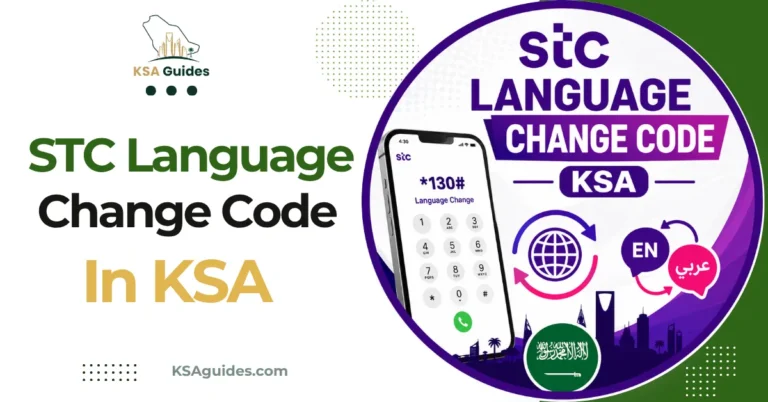
If the response appears in Arabic, press 2 to switch the display to English. To switch every STC message on the line to English rather than one reply at a time, see the STC language change code guide.
If you are on a dual-SIM phone, make sure you are dialling from the STC SIM slot specifically, since dialling from a different operator’s SIM will not return your STC number.
Method 2: Send a “Please Call Me” Message
If you have no balance and want someone nearby to read your number back to you, or simply want to share it without typing it out:
- Open your phone’s dialler app
- Dial *177* followed by the recipient’s mobile number, then #
- Press the call button
- The recipient receives a free SMS that includes your STC number
This is free and works with zero balance, though it is limited to a small number of free messages per day. Use it when you have someone nearby who can read your number back to you, or as a way to share your number without needing to remember or type it yourself.
Method 3: MySTC App
- Download the MySTC app from the Google Play Store or Apple App Store
- Open the app and log in with your mobile number, if you remember it, or your ID
- Your STC number appears on your account dashboard
If you do not remember your number at all, logging in through your Iqama or Absher-linked ID can still retrieve your account and display the number associated with it. The same dashboard shows your active plan; current bundle prices are in the STC monthly internet packages guide.
Method 4: Call Customer Support
Dial 900 from your STC SIM, free and available at any time. From another network or a landline, dial +966114555555. Ask the agent to confirm your STC number, and they can read it out or send it to you by SMS.
How to Check How Many STC SIMs Are Registered to You?
If you are not just trying to find one number, but want to know how many STC or Sawa SIM cards are currently registered under your identity, send the message 9988 to 902. This returns the total count of STC lines linked to your ID.
For a complete cross-network view showing every SIM card registered to your Iqama across all Saudi operators, not just STC, use the official CST Mutasil portal instead. For the full process, see the CST Argami SIM check guide.
What an STC Number Looks Like?
STC and Sawa mobile numbers in Saudi Arabia typically begin with one of a small set of prefixes, including 050, 053, and 055. If you see a number starting with one of these on your phone or in your contacts, it is likely an STC line, which can help you tell it apart from other operators on a dual-SIM device.
Troubleshooting: When *150# Does Not Respond
| Problem | Fix |
|---|---|
| No response after dialling | Check you have signal and retry in an open area |
| Code returns an error | Restart your phone, then retry the code |
| Response shown in Arabic | Press 2 to switch the display to English |
| Dual-SIM phone shows nothing | Confirm you dialled from the STC SIM slot, not the other SIM |
| Still not working | Call 900, or check the MySTC app |
Frequently Asked Questions
What is the STC number check code?
Dial *150# from your STC SIM. It is free and shows your number instantly, even with zero balance.
What is the STC SIM number check code specifically?
The same code applies to both regular STC phone SIMs and data-only SIMs used in routers or MiFi devices.
How do I check my STC number without the app?
Yes. Dial *150#, or call 900 and ask an agent to confirm it.
Does *150# work with zero balance?
Yes. The code is completely free and works with no credit on the account.
How do I check my STC number if I have no SIM in hand?
Log into the MySTC app or my.stc.com.sa using your Iqama or Absher-linked ID to retrieve your registered number.
Can I check someone else’s STC number?
Only with physical access to their SIM to dial *150#, or if they check it themselves and share it with you.
How do I check how many STC SIMs are under my name?
Send 9988 to 902 for an STC-specific count, or use the CST Mutasil portal for a full cross-network view.
What if my STC code shows an error?
Restart your phone and confirm you are dialling from an active STC SIM, then retry. If it still fails, call 900.
Last verified: July 2026
Reviewed by: Roman Shah
Source: STC official website; cross-verified across multiple current STC Saudi Arabia sources
STC codes and support details are subject to change. Contact STC on 900 to confirm current details.